Performance Comparison: Raw Power and Graphics Capabilities
If you’re trying to figure out which machine gives you the best bang for your frame rate—welcome to one of the oldest debates in PC gaming: gaming laptop vs desktop. On the surface, it might seem like both can handle modern games just fine. But when you dive into the details, especially around CPU and GPU performance, the gap starts to show.
Let’s start with raw specs. Desktops almost always pack more power under the hood. A desktop CPU isn’t limited by battery life or tight thermal envelopes, so it can run at higher wattage, deliver more cores, and maintain peak clock speeds for longer. GPUs in desktops—especially models found in the best prebuilt gaming PCs—often have higher TDPs, more VRAM, and better sustained performance during long sessions. If you’re chasing high FPS in AAA titles, a desktop rig still holds the crown.
Compare that to laptops, which have to balance power with portability. Even high-end models like the best gaming laptops for under $2000 come with slightly cut-down versions of desktop graphics cards—often labeled “Max-Q” or “mobile” variants. They’re fast, no doubt, but they can throttle under load, especially in thinner chassis. Heat is a real challenge here. Laptops rely on compact fans and narrow heatpipes, which means thermal limits kick in sooner than they do on a beefier desktop with large fans or liquid cooling.
Ever wondered why two systems with “the same” GPU perform differently? It usually comes down to power and cooling. In the gaming laptop vs desktop matchup, the desktop GPU often has higher thermal headroom and draws more power—so it performs better in real-world gaming tests. We’re talking 10–20% better frame rates in many AAA games, sometimes more if you’re running ultra settings at 1440p or higher.
And then there’s upgrade potential. Desktops shine here. With a budget gaming PC, you can start with mid-range parts and upgrade over time—swapping in a better GPU, adding more RAM, or upgrading storage. That’s not something you can easily do with most laptops. You’re locked into the components you buy upfront. Some cheap gaming laptop models even have soldered RAM or storage, which limits future flexibility.
Of course, laptops have come a long way. You can absolutely game on the go, and many models are impressively powerful out of the box. But in a head-to-head battle focused strictly on raw performance? Desktops still have the upper hand. Whether it’s a sleek custom tower or one of the best prebuilt gaming PCs, they offer more muscle, better thermals, and more room to grow.
Let’s talk real-world performance. Specs on paper only tell part of the story—what really matters is how your system handles popular games once everything heats up. In benchmark tests across titles like Cyberpunk 2077, Call of Duty: Warzone, and Elden Ring, desktop setups consistently pull ahead. A mid-tier desktop with an RTX 4060 often pushes 100+ FPS on high settings at 1080p. The same GPU in a laptop? It might struggle to hit 85 FPS once the fans kick into overdrive.
This is where the gaming laptop vs desktop difference really shows itself. Even when both devices use the same chip family, the desktop version is almost always running at higher clock speeds, drawing more power, and keeping cool longer. That translates to smoother gameplay during intense firefights or long gaming sessions—especially in titles that stress both CPU and GPU.
Now, that’s not to say a cheap gaming laptop can’t hold its own. Plenty of sub-$1,000 models can run today’s games on medium settings without stuttering. But if you want consistent performance and zero thermal throttling, a budget gaming PC will usually offer more stable frame rates and better visuals for the same price—or even less, depending on how you build it.
Table of Contents
- Performance Comparison: Raw Power and Graphics Capabilities
- Portability vs Customization: Lifestyle and Use Cases
- Price vs Value: Which One Gives More for Your Money?
- Upgradeability and Longevity: Planning for the Future
- Gaming Experience: Display, Comfort, and Peripherals
- Final Verdict: Which Is Right for Your Gaming Style?
Portability vs Customization: Lifestyle and Use Cases
One of the first questions to ask when comparing a gaming laptop vs desktop is this: where are you actually going to game? Because for all the talk about frame rates and specs, your lifestyle often matters just as much as your hardware. If you’re always on the move—maybe you’re a student, a frequent traveler, or someone who bounces between home and workspaces—a gaming laptop can make all the difference.
Laptops bring one thing desktops simply can’t: mobility. You can toss a laptop into your backpack and game from just about anywhere—a dorm room, an airport lounge, or your friend’s place on a weekend. And these aren’t underpowered machines anymore. The best gaming laptops for under $2000 come loaded with serious specs, often rivaling mid-range desktops in CPU and GPU strength. They’re thinner, faster, and cooler than they were even two years ago, making them legit options for modern gamers on the go.
That said, portability has its trade-offs. Small screens, limited keyboard travel, and touchpads aren’t exactly ideal for long gaming sessions. You can always plug in a mouse or external monitor, but it takes extra setup. Meanwhile, a desktop stays put. It’s always ready to go, no power brick, no battery to charge, no worries about someone knocking it off the table during a match.
If you’re someone who prefers a fixed gaming station, maybe with a large ultrawide monitor and a mechanical keyboard, then a desktop setup just makes sense. Even the best prebuilt gaming PCs offer enough flexibility for accessories and external gear. Everything stays where you left it, and your desk becomes a full gaming command center—ergonomic, stable, and tuned to your preferences.
So, it really comes down to your routine. If you need something that travels well and still delivers solid gaming power, a cheap gaming laptop or mid-range option could be the perfect match. But if you’re more of a homebody with a passion for comfort and control, a desktop rig fits that role perfectly. The gaming laptop vs desktop question isn’t just about power—it’s about how and where you use it.
Desktops have one clear advantage that laptops can’t match: full customization. When you sit down at a gaming rig you’ve built—or even picked carefully from the best prebuilt gaming PC options—it’s tailored exactly to your style. You chose the case. You picked the GPU, the cooler, the lighting, the layout. Everything fits the way you want it to, and that level of control is hard to give up once you’ve experienced it.
Customization goes beyond hardware, too. With a desktop, you’re not limited to a 15- or 17-inch screen. Want a 32-inch ultrawide with 165Hz refresh rate? Done. Prefer a mechanical keyboard with hot-swappable switches and a precision gaming mouse? Easy. Everything about the setup can be ergonomic, efficient, and built to your preferences—without compromise. That’s something most laptops, even premium ones, just can’t offer out of the box.
And let’s talk about heat and noise for a moment. In the gaming laptop vs desktop conversation, this is an underrated factor. Laptops use tiny fans and heatpipes to stay cool, and while they’ve improved a lot, they still get loud under load. Desktops, on the other hand, can use large fans or liquid cooling systems that keep temps lower with less noise. If you game in a quiet space or care about long-term performance, this matters more than most people realize.
Desktops do draw more power overall, but the difference isn’t always huge—especially if you’re comparing a well-built tower to a high-performance laptop. And if you’re building a budget gaming PC, you can choose energy-efficient parts that keep power bills down without sacrificing much performance.
Price vs Value: Which One Gives More for Your Money?
When most people start comparing a gaming laptop vs desktop, price is usually the first thing on their mind. And it’s a fair question—how far does your money actually go in each case? At first glance, laptops might seem like the better deal. You’re getting a CPU, GPU, screen, keyboard, and battery all in one package. That kind of convenience bundled together feels like solid value… until you dig a little deeper.
A cheap gaming laptop under $1,000 can absolutely play today’s top titles at medium settings. And if you stretch that budget to the best gaming laptops for under $2000, you’re entering territory where the hardware starts to compete with mid-range desktops. But here’s the catch: laptops aren’t built to last or scale the same way desktops are. Once you hit the ceiling on performance or storage, your only real option is to replace the entire machine.
Now let’s look at desktops. A budget gaming PC build around the same price as a mid-range laptop might not come with a flashy screen or built-in keyboard, but it offers significantly better performance-per-dollar. You get more cooling headroom, more upgrade paths, and more raw power from the components. That same $1,500 in a desktop can get you a system with a faster GPU, better airflow, and longer usable life before you feel the need to upgrade.
There’s also resale to consider. Laptops tend to depreciate faster, and battery or thermal wear can reduce performance over time. Desktops hold value longer, especially if you’ve got desirable parts like a solid GPU or SSD. Even older systems can be refreshed by swapping out key components instead of replacing the entire rig.
So which one wins on value? It depends on your priorities. If you need something all-in-one and ready to roll, a cheap gaming laptop is hard to beat. But if you’re aiming to squeeze the most performance out of every dollar—and keep your system going for the long haul—a desktop or budget gaming PC is usually the smarter play.
Price tags are just the beginning—what you really want to think about is the total cost of ownership. That means factoring in how much you’ll spend after the initial purchase, including upgrades, accessories, power use, and maintenance. And here’s where the gaming laptop vs desktop conversation gets a little more layered.
Take accessories, for example. Most laptops come with a built-in screen, keyboard, and trackpad. Desktops? You’ll need to buy those separately if you don’t already own them. That can add $100–$300 depending on what gear you choose. But those components usually last longer than the system itself and can be reused through multiple upgrades. Once you’ve got your setup dialed in, the cost evens out over time.
Repairs are another major difference. If your laptop’s GPU or screen dies, the fix is often expensive or impossible. In some cases, you’re looking at shipping it to a repair center and paying hundreds—if it’s even repairable. Desktops are more forgiving. A single part fails? You swap it. A budget gaming PC can be upgraded piece by piece, which keeps your system running longer without starting from scratch.
And if you’re thinking about power bills—desktops typically draw more energy under load. But they also idle more efficiently and can be built with power-saving parts. Even the best prebuilt gaming PCs often include efficient PSUs and cooling setups that keep things cool without wasting power.
Bottom line? Laptops win for plug-and-play simplicity, but desktops come out ahead in long-term flexibility and cost control. Over the course of three to five years, most users spend less maintaining and upgrading a desktop than they would replacing or fixing a laptop.
Upgradeability and Longevity: Planning for the Future
If you like the idea of upgrading your system over time, the gaming laptop vs desktop debate has a clear winner. Desktops are built for flexibility. Whether you’re swapping out a GPU, adding more storage, or upgrading your cooling setup, the entire platform is modular. Most parts are plug-and-play, and you can mix and match components as your needs evolve—or as your budget allows.
Let’s say you start with a budget gaming PC. Maybe it has a mid-range graphics card and a standard SSD. Down the line, you decide to move up to a higher-end GPU and install a faster NVMe drive. Easy. With a desktop, those kinds of upgrades are straightforward and cost-effective. Even your power supply or case can stay the same as you gradually improve other parts.
Laptops, by contrast, are usually locked in. Most modern gaming laptops have soldered RAM, non-removable GPUs, and limited storage expansion. Some models let you upgrade the SSD or add a second drive, but you’re not going to swap in a new graphics card or boost your cooling system. Once the hardware starts falling behind, your only real upgrade path is buying a whole new machine.
That’s why desktops often outlast laptops in terms of usability. You can keep a desktop relevant for five or more years with small tweaks, especially if it’s built on a solid base like an ATX motherboard with good airflow and plenty of expansion options. Over time, the ability to evolve your system as games and software demands grow can save you a lot of money—and headaches.
While desktops are known for their flexibility, laptops come with some hard limits—especially when it comes to upgrades. Most gaming laptops are designed as sealed systems. Sure, you might be able to swap out the SSD or add some RAM if you’re lucky, but that’s usually where the upgrade path ends. The GPU? It’s almost always soldered to the motherboard. The CPU? Same story. Once those core parts age out, you’re stuck with what you bought.
This makes a big difference in the gaming laptop vs desktop debate. Let’s say you buy one of the best gaming laptops for under $2000. It’s a powerhouse today, running the latest games at 1080p with great visuals. But fast forward two or three years, and you may find it struggling to keep up with newer titles—especially if developers start pushing for more VRAM or faster CPUs. And when that happens, there’s no easy way to upgrade without replacing the entire machine.
Thermals are another limiting factor. Because laptops are compact, they rely on small fans and limited heat dissipation. Over time, heat can reduce the lifespan of internal components. Even the best-designed cooling systems in premium models can’t compete with the airflow and thermal efficiency of a well-built desktop. This can lead to performance throttling, louder fans, or even hardware failure sooner than you’d experience on a desktop rig.
So while a cheap gaming laptop is a convenient, all-in-one solution, you’re trading future flexibility for portability. For users who need mobility and don’t mind upgrading more frequently, it’s a fair trade. But if you’re the type who wants a system to last and grow with your needs, the upgrade limitations in most laptops are hard to ignore. That’s the long-term cost most people don’t see at checkout.
Gaming Experience: Display, Comfort, and Peripherals
The gaming experience isn’t just about FPS and load times—it’s also about how comfortable and immersive it feels. And this is where desktops and laptops split in noticeable ways. If you’ve ever gamed for hours on a cramped laptop screen, you already know the limits. Most gaming laptops top out at 15 to 17 inches, and while many now offer 144Hz or higher refresh rates, the smaller size just doesn’t feel as immersive as a large external monitor.
With desktops, you’re in full control. Want a 27-inch 1440p monitor with a curved panel and a 165Hz refresh rate? No problem. Prefer dual screens for multitasking or streaming on the side? That’s standard territory for desktop setups. You also get to choose your keyboard and mouse, which can significantly affect how precise and comfortable your inputs feel. And once you’ve gamed on a mechanical keyboard with a solid mousepad setup, it’s hard to go back.
Ergonomics are another win for desktops. You’re typically seated at a proper desk, with better posture and cooling comfort. Laptops, on the other hand, can get hot quickly, especially when sitting on your lap or a soft surface. Even premium models can make your hands sweat after a long session. Google recently touched on this in their gaming on Chromebooks guide, pointing out how display size and setup flexibility can impact your comfort level and focus.
If immersive visuals and physical comfort matter to your experience, desktops offer a clear advantage. You’re free to tailor every piece of your setup—from screen to chair—to suit your ideal gaming environment.
Thermals play a big role in how consistent your gaming sessions feel. In the gaming laptop vs desktop debate, desktops have a clear edge here. Larger cases allow better airflow, bigger heatsinks, and liquid cooling options that keep your system cooler and quieter. Laptops, especially during long sessions, can get uncomfortably warm. Even the best models throttle performance slightly to manage heat buildup.
Peripheral support is another win for desktops. With multiple USB ports, audio jacks, and expansion options, you can connect a full suite of gear—headset, controller, mic, stream deck, and more. Laptops often require adapters or USB hubs, especially if you’re using external displays or charging accessories at the same time.
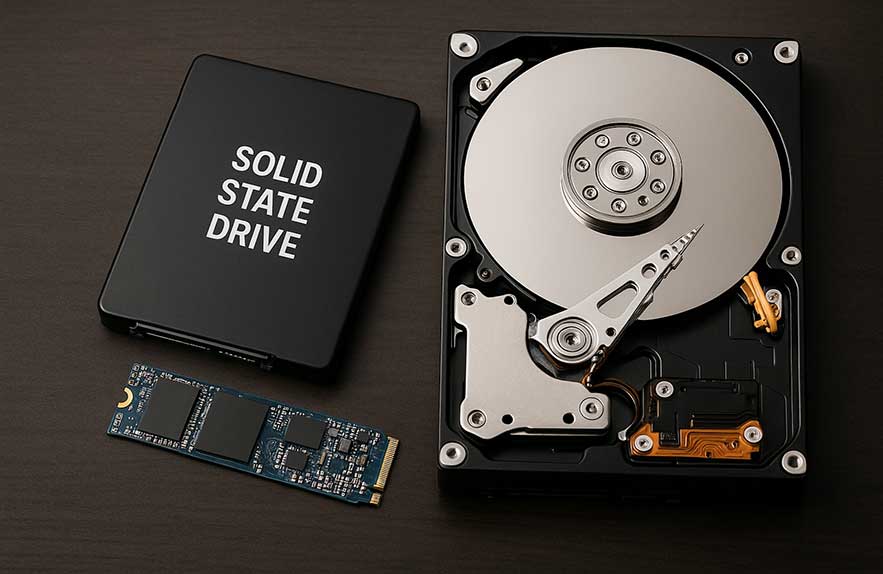
When it comes to game loading times, both desktops and laptops with NVMe SSDs perform well. But desktops often support higher-tier drives with faster sustained speeds and better thermal control. Many of the best prebuilt gaming PC models now include Gen 4 SSDs by default, giving you lightning-fast load times without thermal drop-off during large installs or streaming-heavy games.
Final Verdict: Which Is Right for Your Gaming Style?
After weighing performance, portability, and long-term flexibility, the gaming laptop vs desktop decision really comes down to your lifestyle. Are you someone who moves often, games in different rooms, or travels with your rig? Then a laptop makes total sense. The best gaming laptops for under $2000 can handle today’s AAA titles with impressive results, all in a compact package that’s easy to take anywhere. Even a cheap gaming laptop can deliver solid 1080p gaming if you’re not chasing ultra settings.
But if you want more power, better cooling, and the ability to upgrade over time, desktops are hard to beat. A budget gaming pc lets you build or buy a solid starting point and improve it as your needs grow—swapping out a GPU, adding storage, or upgrading your cooling setup without replacing the whole system. And if space is a concern, consider a mini gaming pc. These compact desktops offer desktop-level performance in a form factor small enough to rival laptops in footprint—without sacrificing upgrade potential.
So which one’s right for you? If plug-and-play convenience and mobility are key, a laptop will fit your needs. But if customization, long-term value, and performance are the priority, a desktop—whether full tower or mini—offers more control and longevity. The real win is picking the setup that aligns with how you actually play. Once you know that, the choice becomes obvious.

Georgijus
Founder of LivePCTech, Georgijus is a full-stack engineer with 16+ years of experience in hosting, DevOps, Linux/Windows systems, and backend software development.
→ Learn more about Georgijus