Top Productivity Software for Windows in 2025 (Free & Team Tools)
Ever feel like you’re juggling too many apps, sticky notes, and reminders just to keep up with work—or even life in general? Imagine this: you start your day with a single app that handles emails, tracks your tasks, schedules meetings, and even helps edit that last-minute proposal. Here’s the thing—real productivity isn’t just about having more tools; it’s about using the right productivity software for windows that actually makes your workflow smarter, faster, and way less stressful.
Table of Contents
- Top Productivity Software for Windows in 2025 (Free & Team Tools)
- Project & Task Management Tools
- Writing, Editing & Planning Tools
- Communication & Scheduling Tools
- Office Suites & Document Handling
- Resume Builders & Career Tools
- Bonus Picks: Specialized Software
- Quick Summary Table: Top Productivity Software for Windows
Project & Task Management Tools
Task management software can turn any hectic week on its head, especially for Windows users looking for a better handle on both solo work and team projects. Have you ever tried to keep up with deadlines and group assignments by juggling sticky notes, long email threads, or yet another spreadsheet, only to end up feeling behind? Here’s the thing: a well-chosen project management template in a modern tool can change how you approach every workday, bringing clarity and real progress where chaos once ruled.
Let’s dive deeper: when you think about tools like Trello, ClickUp, and Notion, you’re seeing why today’s task management software is all about flexibility and collaboration. Trello is famous for its Kanban boards and visual workflow; it’s a favorite for agile teams but also incredibly user-friendly for first-timers. Curious about turning task lists into drag-and-drop boards that everyone can update in real time?
Check out the project management template tools guide for full setup ideas and template libraries. ClickUp steps up the game with customizable dashboards, time tracking, and built-in docs—making it a favorite for agencies and operations teams that love detail. Notion, meanwhile, thrives as an all-in-one platform, offering templates for brainstorming, content, and lessons learned, while also letting you run team wikis and planning all in the same app.
Thinking about how to supercharge your workflow or pull your remote team together? Task management software is the glue. Have you ever collaborated on a big campaign or launch and wished there was an easier way to see what is “in progress,” what is finished, and what’s running late? The power of Kanban boards and project management templates is that everyone, from managers to new interns, can update their own tasks or add notes without endless meetings or message chains. Curious about finding the best Kanban-based planner for your process? The Kanban tools review breaks down top picks for every kind of team.
Maybe you’re a freelancer or a student team just stepping into your first big project management internships. No worries—these apps scale down beautifully for individuals and scale up for big teams. With shared dashboards, automatic reminders, file attachments, and deep search, your days of lost tasks and buried feedback are over. It’s all about making collaboration easy, fun, and totally under your control—no more guessing who owns what or when something’s due.
Ready to take it up a notch? Coming up, let’s explore the best free time tracking tools for freelancers, consultants, and anyone who wants to win back a few precious hours every week.
Here’s the thing—when you’re a freelancer, every hour really counts, but tracking time can feel like a chore. Imagine bouncing between different clients, deadlines, and projects, but never being quite sure where your time went. That’s why the best task management software for solo workers always pairs well with focused time tracking tools. Have you ever ended a week and wondered, “Did I really spend three hours just sending invoices?” You’re not alone—most freelancers have been there, and the right productivity app can make all the difference.
Let’s dive into a few standout favorites. Clockify is a go-to for many in project management internships and gig work because it’s free, intuitive, and lets you track tasks on desktop or mobile. Toggl is perfect for those who crave colorful dashboards and one-click timers to switch between projects with zero friction. Curious about the Pomodoro technique? Pomofocus takes time chunking to the next level, breaking your workday into sprints so you can focus deeply, then rest and reset before burnout ever sneaks in. These aren’t just timers—they’re like having a digital coach on your shoulder, pushing you to work smarter and showing where you can reclaim lost hours.
Ready to see what fits your style? Check out the full comparison of work hours tracker apps to get recommendations for every kind of freelancer or side hustler, plus setup tips to help you get started in ten minutes or less. With these tools, you’ll spend less time clock-watching and more time growing your business—or enjoying your hard-earned breaks.
Writing, Editing & Planning Tools
Let’s get straight to it—writing and planning software is the secret weapon behind more productive teams, freelancers, and students than ever before. Have you noticed how a great productivity software for windows setup goes beyond simple word processing, giving you a workspace that helps your ideas evolve? Whether you’re drafting essays or collaborating on reports, the best writing and planning software for Windows empower you to organize thoughts, manage deadlines, and even brainstorm visually, all without getting lost in clutter or switching between apps ten times before lunch. Ever opened a project management template, but wished you had creative writing and planning tools integrated right alongside your main work app?
The truth is, most modern writers can’t imagine life without digital writing and planning software. Apps like Grammarly and Hemingway go beyond catching typos, suggesting real-time edits that genuinely improve your work. They’re not just for professionals—even students find their flow and voice, whether it’s long-form research or creative writing. Dive into tools like Typora or Ulysses alternatives, and you’ll discover how a thoughtfully designed app can spark focus and structure from scratch. Want the full scoop on these free and paid options? Check the best free grammar checkers for Windows and the top long-form writing software in 2025—both guides packed with tips and template shortcuts that boost productivity without breaking your stride.
But here’s where writing and planning software for Windows really shines—planning visuals and outlining. Imagine color-coded mind maps, digital sticky notes, and fluid note-taking apps all working in sync. The right writing and planning software ties your research, brainstorms, and final drafts together into a single, easily-searched archive. Curious how students manage tight exam prep or teams assign tasks and outline campaigns? Those who use powerful writing and planning software for Windows (paired with robust project management tools) find it’s like having a personal assistant, keeping them organized, creative, and always a step ahead.
Ever asked yourself if one download or add-on could save you hours every week? If the answer is yes, you’re not alone. In the next guide, we’ll dig deeper into the visual planning side: mind mapping, digital sticky note apps, and the cleverest note-taking solutions—showing how writing and planning software for Windows lets you get ideas down, stay on track, and never lose sight of your next big breakthrough.
Visual planning is a real game changer when writing and planning software for Windows simply isn’t enough to organize every creative idea. Have you ever sat down to study or tackle a big project and found your thoughts scattered everywhere? Here’s where mind mapping tools like XMind and Freeplane truly shine. These apps let you turn that chaos into clear, branching diagrams—perfect for outlining research, brainstorming with classmates, or even planning your next novel. Mind mapping isn’t just for students; marketers and teams use these visual plans to break down campaigns, assign deadlines, and keep large projects on track in ways basic lists just can’t match.
But it gets even better. The new generation of sticky note apps and note-taking software is built right into the productivity software for Windows ecosystem. Need to jot down a last-minute idea during a Zoom class? Digital sticky notes do exactly what their paper cousins did, but you can color code, attach reminders, and sync them across devices. The list of sticky notes alternatives for Windows 11 includes tools ideal for multitaskers.
If you want something more robust, try out top note-taking software for 2025—designed for everything from exam prep to team collaborations. This complete guide walks you through the best free and premium digital notebooks where your writing and planning software in Windows comes together. Ever wondered how successful students and remote workers stay on the ball? Their secret is usually a combination of visual planning tools and flexible note systems—all fully at home in the Windows world.
Communication & Scheduling Tools
When it comes to freelancer productivity apps, few categories matter more than a reliable email client for daily communication. Imagine juggling project updates, client feedback, and new job leads all in one inbox—without a productivity boost, things get messy fast. Have you ever missed a deadline just because an important email got buried? That’s where investing in the right tools pays off big time for freelancers and small teams alike.
Thunderbird remains a favorite among power users, with its customization, security features, and smooth integrations making everyday email management feel less stressful. It stands out for freelancers who need to organize multiple accounts, automate sorting, and keep a clean, searchable history. If you’re after speed and a streamlined experience, Mailspring offers a modern inbox, mail snoozing, and quick reply templates, helping freelancers get through a mountain of messages with fewer clicks. Why spend your time chasing down lost threads when productivity software for windows provides smart search and reminders?
What about productivity-boosting add-ons? The best freelancer productivity apps do more than send messages—they automate calendar invites, track responses, and let you schedule follow-ups right from your inbox. Some tools even offer task plugins to turn client emails into actionable tasks without leaving your email window. Want a full breakdown? Take a look at the best email clients for Windows in 2025—it’s perfect for anyone who wants their communication process to match their ambitions.
Let’s dive deeper into keeping your schedule as streamlined as your inbox. For freelancers and remote teams, a good meeting and calendar solution isn’t just nice to have—it’s essential. Have you ever found yourself double-booked, or emailing back and forth just to pick a meeting time? The best freelancer productivity apps solve that with smart scheduling tools that work smoothly in Windows.
Platforms like Calendly and Doodle are well-known for sending out self-serve meeting invitations—clients click a link, pick their slot, and agree to a calendar app for windows that updates everyone instantly. If you prefer a traditional calendar view, check out cross-platform favorites like Google Calendar or the Windows-native One Calendar. Want to see which ones made the cut this year? The top meeting scheduling tools guide breaks down free versus paid options and how well they work with Teams, Outlook, or wherever your clients live.
Ever missed a deadline because your phone and computer weren’t in sync? Modern freelancer productivity apps make sure your meetings, work blocks, and reminders reach you on every device—no more last-minute scrambles. The right scheduling solution can save hours, reduce stress, and even help you impress new clients by always being on time and well prepared.
Office Suites & Document Handling
Ever wish you could find a free office suite that delivers the power of Microsoft Office—without the price tag or subscription stress? Here’s the thing: free office software has come a long way, now offering robust alternatives with the tools teams and freelancers need to write, analyze data, and collaborate. These days, picking the right suite could mean the difference between smooth document workflows and a flurry of “unsupported format” frustrations.
LibreOffice has long been at the forefront for Windows users wanting a powerful, open-source solution. It handles everything from Word docs to Excel spreadsheets, and new updates keep it competitive for even business users. OnlyOffice and WPS Office bring slick design and cloud integration—think quick editing, built-in PDF support, and Google Drive or Dropbox syncing—making them standouts for anyone sharing documents across teams. Looking to compare features and interfaces at a glance? Start with the best office alternatives review and see which free option might make you finally cancel that legacy subscription.
Of course, Google Docs remains a fan favorite, especially for collaborative editing and easy sharing straight from the browser or even within other productivity software for Windows environments. Have you ever been caught in a bind because your document software didn’t “play nice” with a client’s setup? Exploring the latest office suite software for Windows can help you avoid compatibility headaches, speed up editing, and even unlock smarter collaboration for teams big and small.
Let’s not forget how important it is to have the right tools for handling, editing, and organizing your digital paperwork. If you work with contracts, reports, presentations, or even creative materials, the right PDF and document control software for Windows saves you hours and removes stress. Ever struggled to combine, convert, or secure a PDF for a client or your team? Modern solutions make this easier than ever.
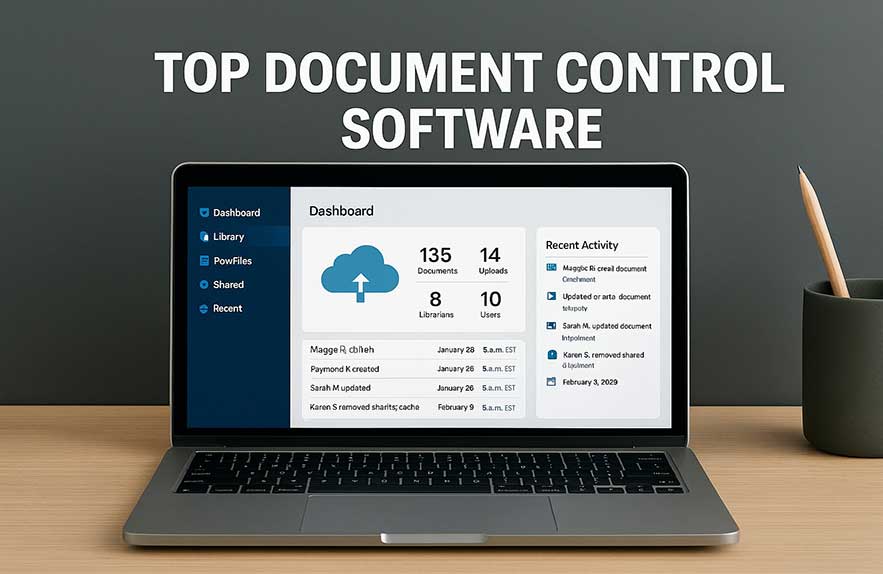
PDF24 and SmallPDF are favorites for free PDF editing, merging, and format conversions—no need for expensive subscriptions to get professional results. Whether you just need to sign a document or archive important client contracts, having a reliable editor on hand is a must. Want even more organization and security? Document control tools are designed for teams who need to track changes, apply audit trails, and keep track of document history. Curious which tool is best? See the best PDF editors for Windows and the document control software guide for real-life team recommendations.
Whether you’re prepping paperwork for a project management template, shipping resumes, or sending legal forms to a client, digital document and PDF tools are a vital part of any complete productivity software for Windows ecosystem. With the right setup, you can keep your workflow flowing—no more print-sign-scan cycles or lost files.
Resume Builders & Career Tools
If there’s one thing every job seeker or freelancer can agree on, it’s this: building a great resume fast can feel like a project management sprint of its own. The good news? With the right supports freelancer productivity apps and online builders, whipping up a polished resume in minutes isn’t just hype—it’s reality. Ever nervously sent off an outdated resume because updating it felt like a chore? Imagine never scrambling at the last minute again.
Modern resume builders like Resume.com, Novoresume, and Canva have simplified the process. Their intuitive templates, drag-and-drop design, and instant PDF downloads mean anyone can make a professional, customized document with zero graphic design skills. What’s more, these supports freelancer productivity apps turn resume writing into a step-by-step process: you pick a template, add your details, and tweak content till it shines. Curious which tool stands out in 2025? The resume builder program roundup highlights top choices for every situation, whether you’re a college grad or a seasoned consultant.
The competitive edge? Modern tools not only help you hit “send” with confidence, but also save your information for easy updating next time. You get more interviews, less stress, and a career toolkit built right into your productivity software for Windows environment. How’s that for turning job hunting into a project you finally enjoy?
But here’s where it gets interesting—today’s resume builders do more than just polish your work history. Have you noticed how modern supports freelancer productivity apps also offer tracking dashboards, interview prep modules, and cloud storage for your cover letters? With just one account, you can tweak your resume for different roles, export as PDF or Word, and even create a shareable link for networking events or portfolio sites. It’s like having a digital project management template dedicated to your career growth.
Many remote teams and freelancing platforms are now recommending these tools so applicants can quickly respond to new gigs, submit up-to-date documents, and never stress about lost files. Ever had a client ask for a resume tweak mid-interview? With these cloud-based solutions, that fix is one tab away—no more digging through old folders or hunting attachments. For anyone testing project management internships, online resumes and auto-saving templates lighten the mental load so you can focus more on the conversation than on document formatting.
The best thing? These apps update with new templates, tips, and features regularly, so you are always ready for what recruiters and businesses expect next. Finding supports freelancer productivity apps that treat your job hunt as a living project will give you a true edge in a competitive market, keeping your professional story organized and a step ahead.
Bonus Picks: Specialized Software
Let’s dive deeper into productivity software for windows that goes beyond the classics. Have you ever wondered what specialized apps real teams rely on for unique needs—beyond the basic word processor or calendar? Here’s where the best supports task management software and additional tools can make or break industry-specific workflows or creative projects.
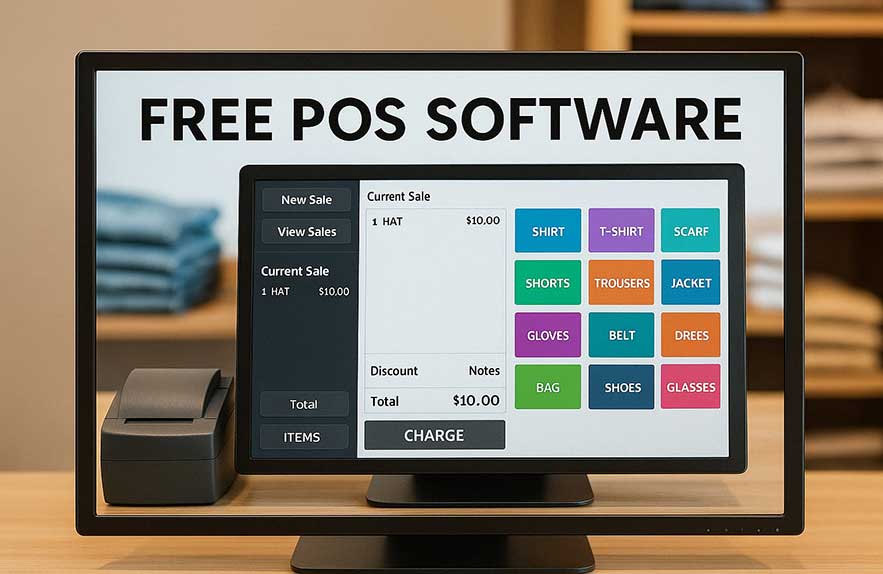
For small retail businesses or cafes, a robust (and free) POS system is a lifesaver. It tracks inventory, manages sales, and turns a laptop into a checkout powerhouse. Curious what’s recommended in 2025? See the best free POS software for reliable daily operations. For designers, engineers, or builders, CAD software has long been reserved for big-budget firms, but modern free tools now offer enough power for startups or small studios. The top free CAD software guide spotlights platforms perfect for blueprinting and creative design—without the subscription trap.
Let’s not forget video editing. In the age of portfolios, TikTok, and remote pitch decks, having a reliable video editor is another way to boost your productivity software for windows stack. Whether you prefer DaVinci Resolve’s pro tools or seek something quick for YouTube, discover hidden gems in the video editing software roundup. Ever tried to build a workflow tailored exactly for your team? Layering industry-focused supports task management software with specialized apps ensures your toolbox is ready for whatever challenges your next project brings.
Quick Summary Table: Top Productivity Software for Windows
Use this table to glance over the most useful tool types, ideal examples, and where each kind of productivity software for Windows truly shines in daily life—whether you’re working solo, building with a team, or planning your career jump.
| Tool Type | Example Tools | Best For |
|---|---|---|
| Time Tracking | Toggl, Clockify | Freelancers, solo devs |
| Project Management | ClickUp, Trello | Remote teams, planning |
| Word Processing | LibreOffice, WPS | Office replacement |
| Notes & Mind Mapping | XMind, Notezilla | Students, writers |
| Resume Builders | Canva, Novoresume | Job seekers |

Georgijus
Founder of LivePCTech, Georgijus is a full-stack engineer with 16+ years of experience in hosting, DevOps, Linux/Windows systems, and backend software development.
→ Learn more about Georgijus